Toolchain, fonts, and storage
Typsastra manages the compiler and its generated data so a project can remain a portable collection of ordinary Typst files.
Tinymist toolchain
Open Settings → Toolchain to select a compatible Tinymist release or use a
validated installation found on PATH. Managed releases are downloaded into
Typsastra's application data, checked before activation, and can be retried or
reinstalled from the panel. A separate Typst installation is not required for
the normal preview workflow; Tinymist includes the Typst compiler used by
Typsastra.
The first launch may download the selected stable toolchain. Later launches use the managed copy. The app reports the active source and the Tinymist/Typst versions. Changing compiler versions restarts the owned language-server session and restores its document context.
Developer mode also exposes an optional Enhanced Unicode PDF engine for explicit exports. It does not replace Tinymist for live preview or language features and remains experimental; see the validation guide.
System and private fonts
Typsastra can install its bundled UI fonts for the current user without administrator access. Settings also inventories installed system fonts and allows global or workspace-private compiler font directories. Private font files are not copied into project archives.
Document Typography can prepare scaled variants for fine visual balancing.
Generated variants are stored in a private global cache and reused between
projects. Open Settings → Storage → Scaled-font cache to inspect variants,
renew an entry, remove selected entries, or remove unused entries. Typsastra
does not delete variants automatically. Non-unit scaling is experimental for
PDF output; use 1.0× for dependable export.
See Document typography and Settings for font discovery, priority ordering, scripts, and supported file formats.
Project render caches
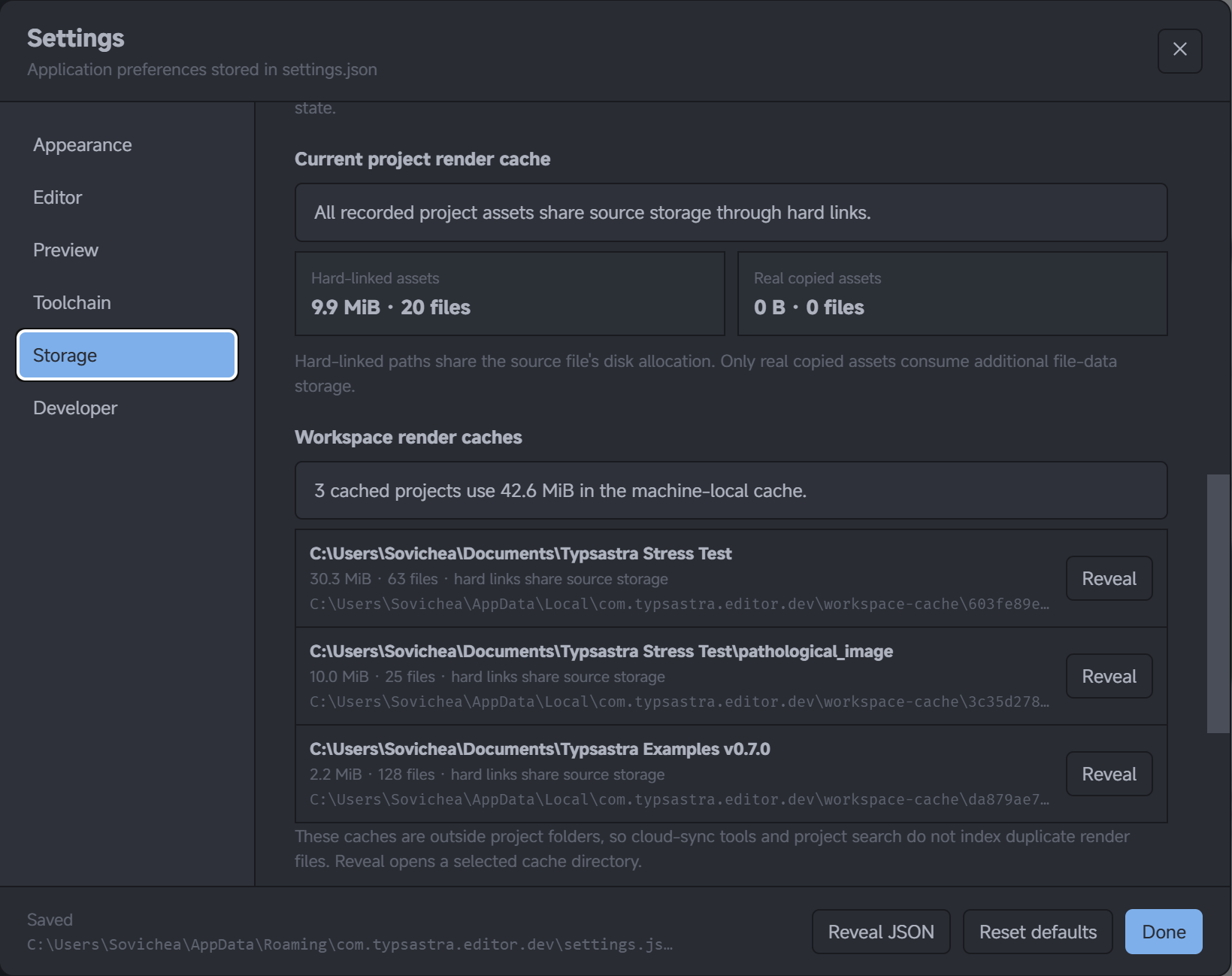
Live-preview mirrors, generated PDFs, source maps, draft thumbnails, and other temporary compiler outputs are kept in machine-local application data, outside the project folder. Settings → Storage lists prepared project caches, their size, file count, and hard-linked versus copied assets. These entries are informational; removing project data is not automatic.
Older projects may contain a legacy .typsastra/cache. Typsastra shows its size
and asks before migrating or removing it. Normal project archives exclude
generated caches and PDFs.
WebView storage and Linux compatibility
On supported Windows and Linux configurations, Settings → Storage reports WebView profile usage and its platform-specific location. Monitoring is read-only and does not remove browser state.
Linux Settings → Preview can report a WebKitGTK DMA-BUF renderer risk profile. If a preview appears white or flashes during resize on an affected system, try Disable WebKitGTK DMA-BUF renderer and restart Typsastra. It is a targeted compatibility workaround and may reduce rendering performance.
Updates
Typsastra checks signed release metadata and stages application updates before asking for a restart or close to install them. Toolchain downloads and app updates are separate: changing Tinymist does not replace the Typsastra application.