Markdown live preview
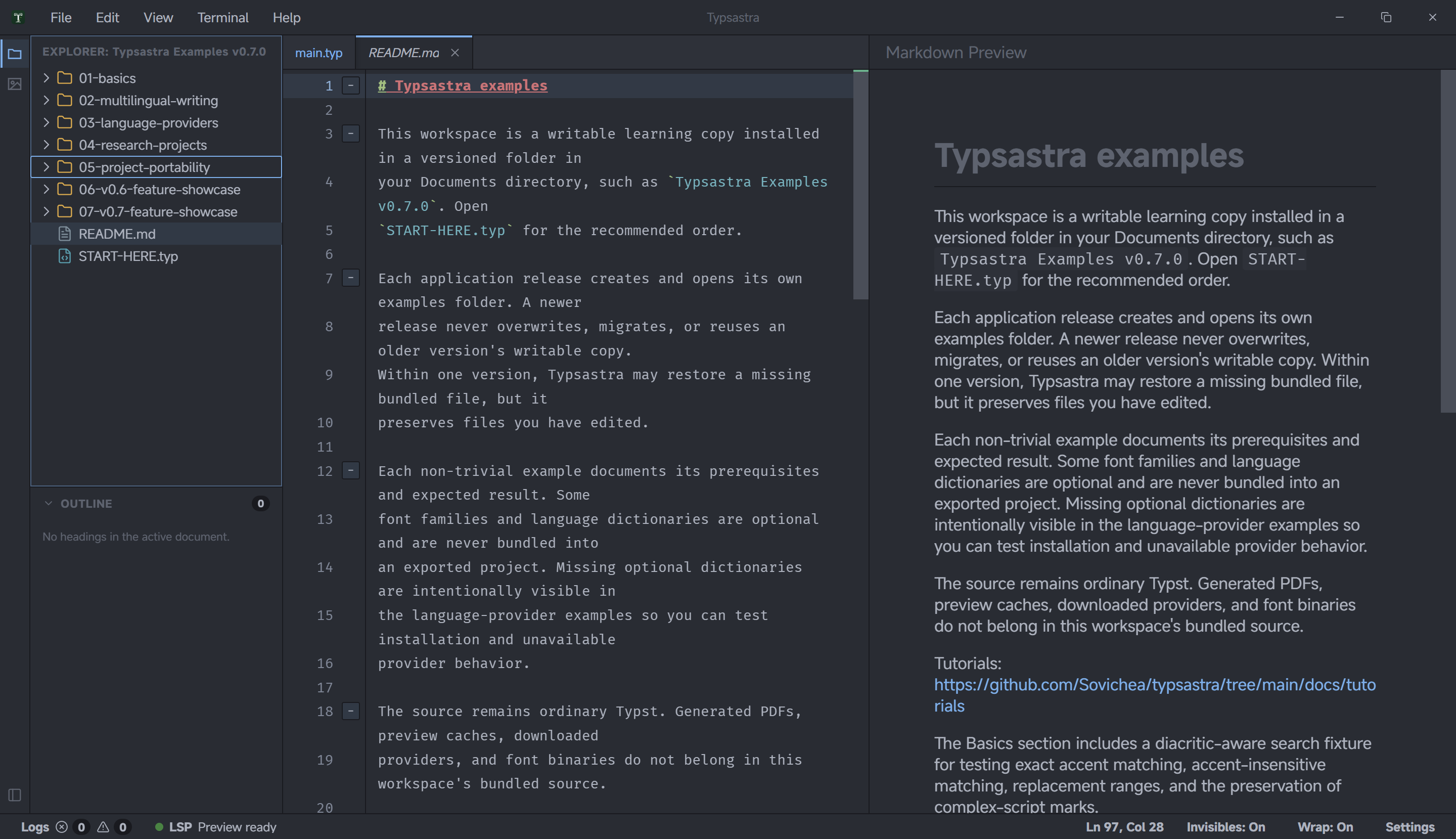
Open a .md or .markdown file inside a Typsastra workspace to activate the
Markdown editor and live preview. Markdown uses its own renderer: it does not
start Tinymist, compile Typst, change the configured main file, or discard the
last successful PDF preview.
Supported content
The v0.7.0 renderer supports common GitHub-Flavored Markdown:
- headings, paragraphs, emphasis, strong text, and block quotes;
- ordered, unordered, and task lists;
- tables and horizontal rules;
- fenced and inline code;
- links and statically referenced local images;
- Unicode and mixed-script text using the browser's standard bidirectional behavior.
Rendering follows the selected Typsastra theme. Each Markdown tab retains its own scroll position across edits and tab switches.
Links and images
Hold Ctrl on Windows or Linux, or Command on macOS, while activating a
Markdown link. Workspace-relative links open through Typsastra's normal file
policy. External URLs open only after this explicit gesture.
Local image paths resolve relative to the Markdown document and must remain inside the open workspace. Remote images, missing files, unsupported sources, and paths outside the workspace appear as unavailable resources; Typsastra does not fetch them automatically.
Security and limitations
Project Markdown is treated as untrusted content. Typsastra sanitizes generated HTML and removes scripts, event handlers, forms, iframes, embedded objects, style injection, and unsafe resource attributes.
v0.7.0 does not provide Markdown-to-Typst conversion, rich-text editing, Markdown PDF export, executable code blocks, diagrams, plugins, or source-to- preview synchronization. Typst-specific preview actions remain unavailable until a Typst or PDF document becomes active again.
Try the bundled 07-v0.7-feature-showcase/01-markdown-live-preview example for
a table, task list, mixed scripts, code, workspace links, and a local image.