Document-language word completion
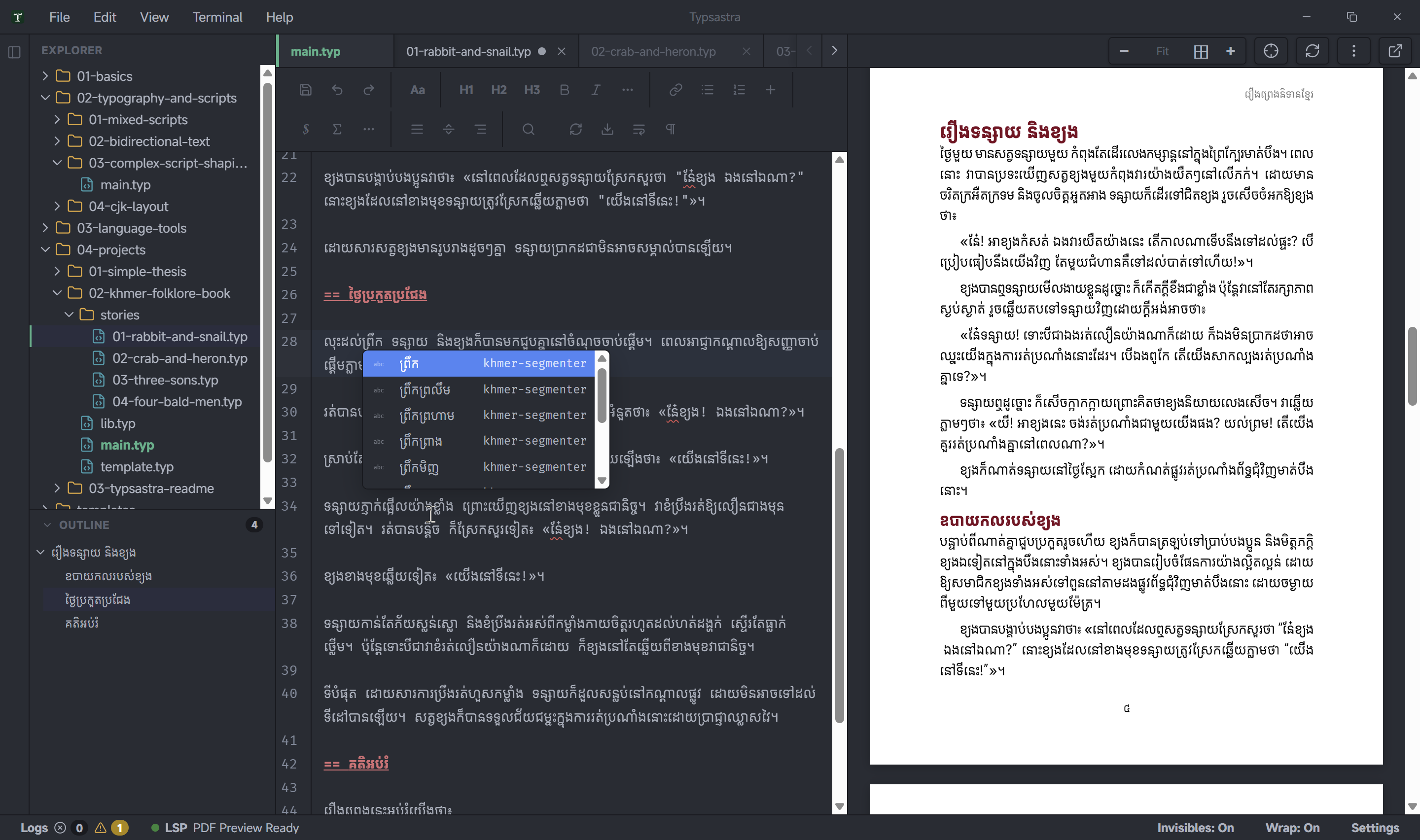
Typsastra word completion does not follow the operating-system keyboard layout. Keyboard detection is unreliable across platforms and can conflict with users who type several languages through one layout.
Completion follows the project language resolved for the script being typed. Select the language item in the status bar to configure ambiguous scripts, then enable Typing word suggestions in Settings. Scripts with one available language, including Khmer, resolve automatically.
Assignments are stored in .typsastra/config.json, independently from fonts
and Typst lang. A language with an unavailable provider receives no completion
and never falls through to another same-script dictionary. The native provider
is loaded lazily only when matching prose is detected.
IME candidate windows remain independent and always take priority while text composition is active.